Data shows average popup conversions sitting at 11.09%, but the top 10% of sites are seeing massive results, a 42.35% conversion rate. Most people assume you need a dev team or a computer science degree to hit those numbers, but that’s not true anymore. In 2026, building a popup that actually works is 90% about timing, popup types, and strategy. And no coding is required. Here is how to create a popup without coding, using the best popup plugins today.
What Are Popups and Do You Actually Need Code?
A popup is a floating box that appears on a website when triggered by a user’s action. Actions include landing on the home page, scrolling past a certain point in the webpage, or clicking a button. High-converting popups are about triggers and content, not just code. Some of the best popup types today require no code.
Most popups serve a purpose. They offer discounts in exchange for an email address, display important announcements, or offer exclusive deals. It’s about catching that undecided shopper at the perfect moment. It sounds technically challenging, but modern tools like PopupBox have changed the game. You can use specific triggers without coding. With the right popup plugin, you can create simple popups that drive conversions, grow email lists, and generate leads.
What to Read Next? What is a Popup in WordPress: The Ultimate Beginner’s Guide to Using Them (2026)
How to Create a Popup Without Coding: Step-by-Step
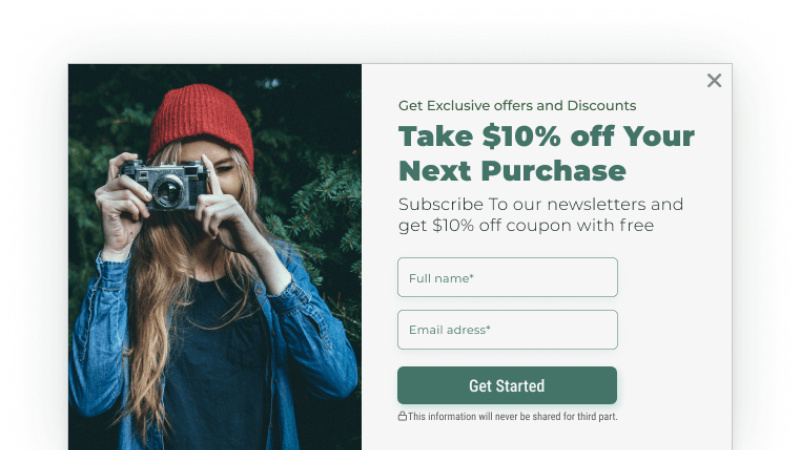
Most CMS platforms, like WordPress, have popup plugin tools you can use to build popups, no coding required. Follow these steps to learn how to create a popup using a popup plugin.
Step 1: Choose a No-Code Popup Builder Based on Your Experience Level and CMS
Consider your CMS, experience level, and objectives.
PopupBox: Our top pick for beginners. It’s lightweight, affordable, and has plenty of templates.
OptinMonster: Powerful, but pricey. Best for enterprise teams who need hyper-complex targeting.
Elementor: Great if you’re already using their page builder for your entire site design.
Step 2: Install the Popup Plugin.
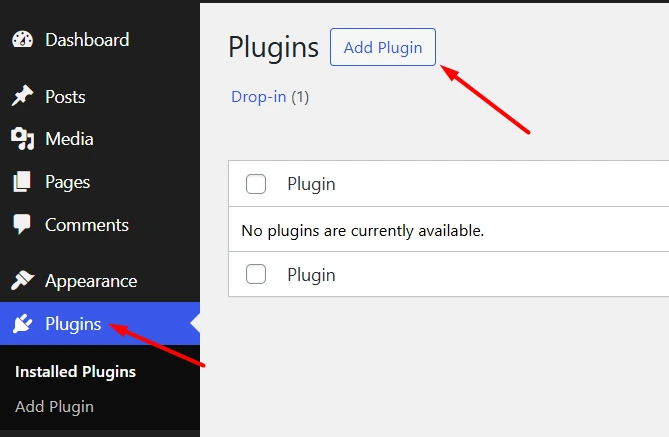
Select Plugins from the menu on the side and press “Add New.” Search for your chosen plugin and activate it.
Step 3: Choose Your Popup Type
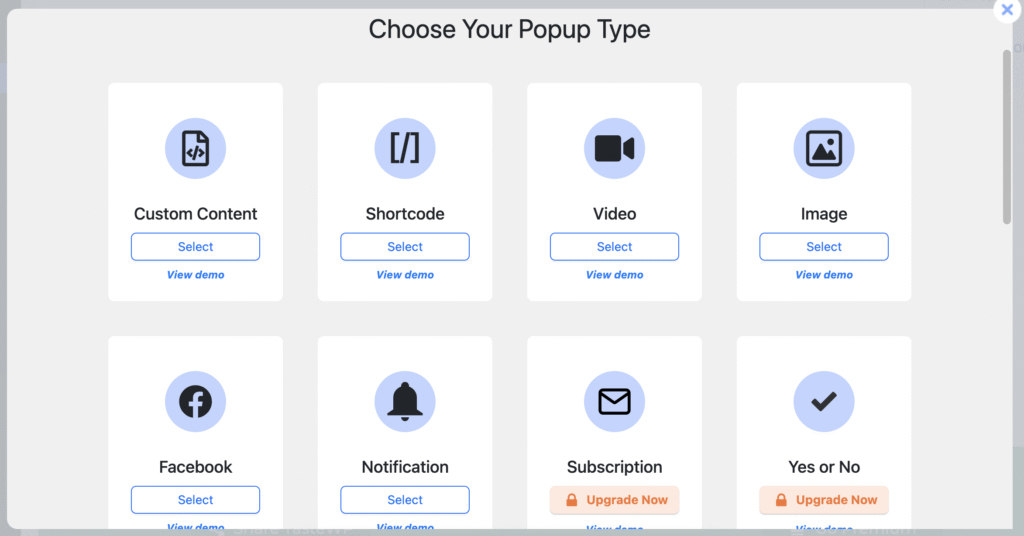
You can now create your popup by choosing your popup type. These may include options like custom content, subscription, or video.
Step 4: Pick a Template That Aligns with Your Goal
You don’t have to be a designer to create effective popups. Templates save time and are pre-optimized for conversions and your popup content type.
Step 5: Customize the Copy and Design
Headlines should be benefit-led rather than clever. Have a clear value proposition, and show your offer simply and clearly. If you have form fields for capturing email addresses, keep them to a minimum; don’t overwhelm the user.
Step 6: Apply Trigger Rules
Often, you can find trigger rules under advanced settings. You’ll usually find these under “Advanced Settings,” and frankly, this is the part you can’t afford to mess up. This is what keeps you on Google’s good side (SEO-friendly). You can choose to show on specific pages only, not to show to the same visitor twice in one session, and other time-based triggers that can make or break your popup.
Check out our detailed, step-by-step guide on building your first PopupBox campaign here.
What Type of Popup Should You Create First?
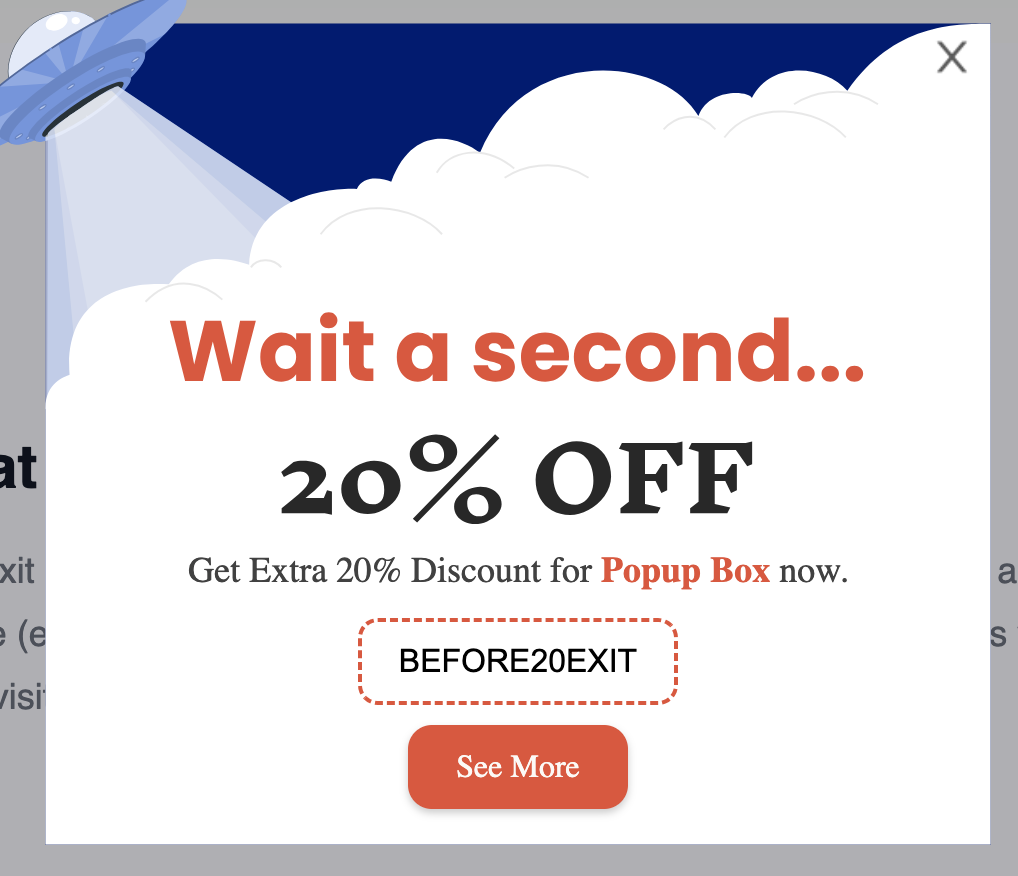
Popups feel spammy when they appear too soon. Imagine seeing a website overlay before you even connect with the content. Before you create a popup, you need to understand what popup types work so you don’t fall into the “spam category.” You can categorize popups into two categories: their trigger type and content. These two aspects should work together to create high-converting popups.
High-converting Popup Triggers
Scroll-triggered popups that show up when someone scrolls to 50% of the page indicate that users are already interested.
Exit-intent popups triggered when users leave the page, grab attention and re-engage users with a sneaky discount code.
Click-triggered popups act as a natural extension of a click, making the user experience feel seamless.
What Is an Exit-Intent Popup and How to Convert Users in 2026
Popup Content Types
Welcome popups that are often displayed on page-load (custom-made and brand-aligned content to welcome your users)
Subscription/ email opt-in, which collects email addresses in exchange for a discount code or exclusive information
Cookie popup is often a GDPR requirement, a popup that allows you to legally obtain users’ data.
The Best Popup Types for Beginners
There are lots of popup examples, so what should you start with? If you want to generate leads, use an email capture popup with a time-delay or scroll-triggered display option. To boost conversions, use an exit-intent popup and offer a discount code, as these have the highest conversion rates.
| Type | Trigger | Best for |
| Email capture | Time delay or scroll | Newsletter growth |
| Exit intent | The cursor moves to close the browser | Cart recovery |
| Welcome/discount | On page load | E-commerce sites on first visits |
| Announcement bar | Always visible | Sales, alerts, and deadlines |
| Scroll popup | After X% scroll | Blog readers and engaged visitors |
Why “No-Code” Popups Fail
It’s rarely the design. Usually, it’s one of three things:
- The “Impossible” Close Button: If your user has to work hard to close a popup they won’t convert; they will leave.
- Mobile Disasters: A popup that looks great on a 27-inch iMac won’t necessarily look good on an iPhone. Always check the mobile preview in your plugin settings.
- Weak Offers: “Join my newsletter” isn’t going to cut it. Use action-orientated language and give them a reason to care. 10% off? A free PDF? A secret tip? Invoke curiosity and show value.
- Over-Displaying: If your popup triggers every time someone clicks a new link on your site, your user will leave in a huff. If they closed it on the homepage, don’t ambush them again on the “About Us” page. You want to reduce your bounce rate and provide a good experience.
When choosing your popup plugin make sure you can easily navigate these settings to make the user experience as seamless as possible.
The Best No-Code Popup Plugins in 2026
Here are the best popup plugins in 2026 that require no coding. These popup plugins are easy to use, supported by popular content management systems and most importantly, require no coding.
| PopupBox | Yes | WordPress | High customization, multiple templates, and very easy-to-use |
| Elementor Popup Builder | Yes | WordPress | Drag-and-drop features with high customization for designers. |
| Poptin | Yes | E-commerce | A/B testing built in |
| OptinMonster | Yes | E-commerce | Very good targeting options, good for experienced marketing teams. |
| Wisepops | Limited | Shopify/WooCommerce | Deep e-commerce triggers |
How to Create a Popup in WordPress Without a Plugin
You can create a popup without using a plugin. A no-code popup doesn’t always mean you have to use a plugin.
Theme builders like Elementor Pro already have a popup maker as the code is already part of the website’s ecosystem. If you navigate to your theme’s “Templates” or “Theme Builder” section, most have a ” Popup” category where you can design a modal and set “Display Conditions.”
WordPress has a built-in lightbox. A lightbox looks different from your standard popup; the background of the site dims or blurs and works best for displaying images or videos. This is a great basic option if you want to create a simple popup box.
If you want a marketing popup without a plugin, you can use a third-party service like Popup-Plugin.com or even a custom HTML/CSS snippet. You may need a basic understanding of coding. You design the popup in an external builder, and they give you a single line of JavaScript code which will be placed into your theme’s footer.php file (right before the </body> tag) or use the “Custom HTML” block in your site-wide footer.
Dive Deeper into Website Overlays: What’s the Difference Between a Popup, Modal, and Lightbox?
Conclusion: Anyone Can Start Using Popups
Data from Optimonk shows popups are still one of the most effective marketing tools today. Anyone can use them; they don’t require any coding. Pick one of the best popup plugins, pick a template, set your targeting and trigger rules. Creating popups doesn’t have to be complicated. Try a top-rated and easy-to-use popup plugin, like PopupBox, and start converting your users today.
FAQs: No-Code Popups
Yes, 2026 offers many great plugin popups. Too many badly managed plugins can slow your site down, which hits your SEO and user experience. However, modern plugins are lightweight and can save you a lot of time.
Yes. Most reputable popup plugins, including PopupBox, offer a free tier that includes all the basics you need to start capturing leads.
The best way to create a simple popup box for a website is to use beginner-friendly plugins. Good options include PopupBox and Poptin. These tools have multiple templates, clear instructions, and are easy to use for non-coders.
Under your plugin’s advanced rules, you’ll see “Frequency” or “Cookie” settings. Use them. I usually recommend setting a 30-day window so you aren’t hammering the same person with the same offer every time they hit ‘refresh.’ In PopupBox, it’s a simple field in the advanced tab, just tell it how many times to show per session.
In short, popups aren’t necessarily bad for SEO. They are only bad for SEO if they are intrusive, poorly implemented, or timed. Some of the best popups to use in 2026 include exit-intent popups, click-triggered popups, and popups which are optimized for mobile experiences.
Are Popups Bad for SEO? What You Need to Know from the Latest Updates
If you use a bloated, poorly coded plugin from 2014? Yes. If you use a modern, lightweight builder? Barely. Most 2026 plugins load “asynchronously,” meaning your actual content loads first, and the popup script follows behind it, so it doesn’t kill your page speed.