If you want to create leads for your business, you should use popups. High-converting popups can collect thousands of emails to grow your business. These popups often use smart triggers and valuable offers to generate meaningful leads. They increase engagement, deliver information fast, and capture high-intent leads. They are one of the simplest ways to convert passive users into active ones. Here is how to use lead capture popups in WordPress, as well as copy, design, and placement tips to make sure they generate leads.
What Are Lead Capture Popups?
Lead capture popups are popups that offer value in exchange for an email address. They typically involve contact forms to collect email addresses. Here are common popup types that support lead capture popups:
Contact form popup: name, email, and message fields in a clean overlay
Subscription popup: newsletter sign-up tied to a recurring content offer
Shortcode popup: displays quizzes, embedded maps, or third-party forms
Subscribe and get a file: visitor subscribes and receives a download immediately.
Download popup: gates a PDF, checklist, or template behind an email address
The 5 Types of Lead Generation Popups Ranked
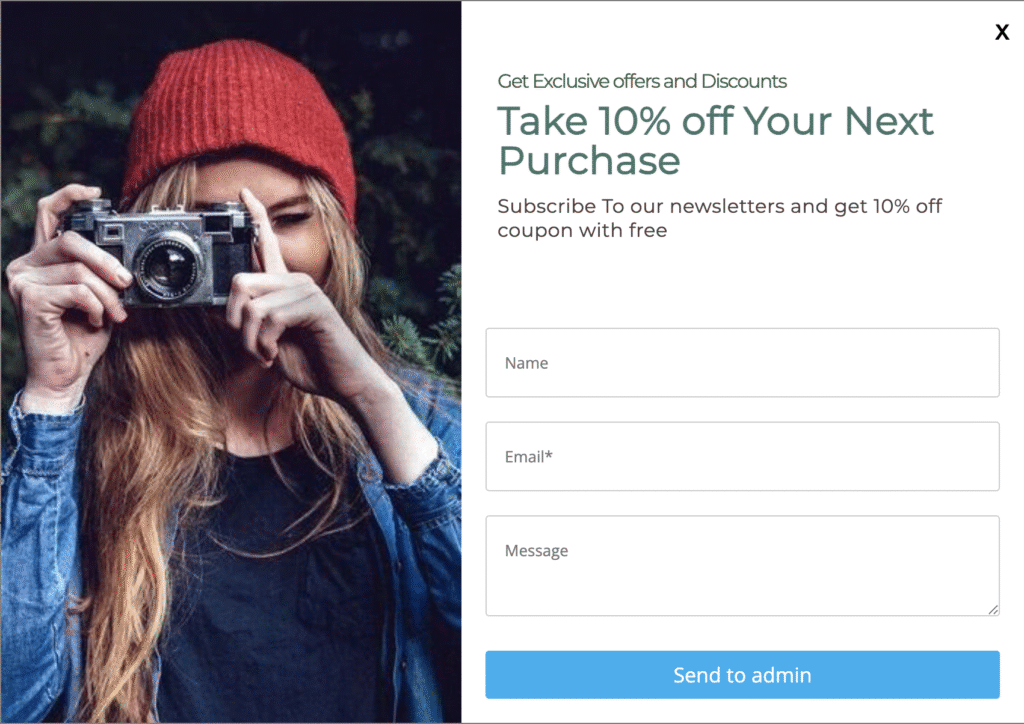
How lead capture forms are triggered massively affects how many leads they generate. A popup that is displayed the moment someone enters a page will have different results from a popup that appears when someone is about to leave. To generate real leads, your users need to be engaged with your content. So, here are the highest-converting lead generation popups ranked.
Exit-Intent Popups
Best for Lead Recovery
Best for: eCommerce, SaaS, blogs, and landing pages (pages where people leave without converting)
Around 70% of people who land on your page will exit without buying, subscribing, or doing anything at all. Exit-intent popups aim to change that statistic. They work by tracking mouse behavior and are triggered when a user edges toward the “Close Button.”
They can be used for
- Cart recovery
- Promotional offers
- Email capture.
What Is an Exit-Intent Popup and How to Convert Users in 2026
Click-Triggered Popups
Best for High-Intent Conversions and Lead Capture
Best for: Blog posts, resource pages, content upgrades, gated downloads
Most popups appear the moment someone lands on a page, and if they don’t offer real value or relevance, they feel intrusive. The button-click popup is triggered when someone clicks a button or a unique element on your page, making the popup feel targeted. They work particularly well embedded within blog content as content upgrades. They also pair perfectly with a contact form popup.
Here are four placements that consistently perform well.
1. Pricing Page: “Get a Quote” Button
2. Blog Post or Resource Page: “Download the Free Guide” Button
3. Homepage Hero Section: “See How It Works” Button
4. Product or Shop Page: “Claim Your Discount” Button
Here Is How to Create a Popup on Button Click (WordPress)
Scroll-Triggered Popups
Best for Blog and Content Pages
Best for: Blog posts, long-form guides, resource libraries, content-led SaaS sites.
If a user scrolls halfway down a page, they are officially “interested” in your content. They are much more ready to turn into a lead. When a user reaches 50% or 30% of the way down a page, a popup appears. For example, a visitor reading a guide on lead generation strategies reaches the 40% mark and sees a popup offering a free lead capture template, making them ideal for lead generation. This trigger type can be paired with a Subscription popup or a Download Popup. And they have proven results.
A Reddit user said, “I have a welcome pop-up for 15% off. Started my business two years ago and have 40k emails from it. It has a 10% submit rate.”
This is a great popup to use for beginners who want to generate real leads. Read The Ultimate Beginner’s Guide to Using Popups in WordPress (2026)
Timed Popups
Best for Landing Pages
Best for: Landing pages, homepages, short-form sales pages.
Timed popups appear after a visitor has been on a page for a set number of seconds. The secret with these popups is to set a timer that matches user intent, anywhere between 7 and 10 seconds.
Firing a popup immediately will only irritate users and increase your bounce rate, which could affect your SEO. But strategically timed popups with real value can generate a lot of leads (especially if placed on high-visibility pages such as a landing page). Timed popups on Sales pages could also generate leads, and can be triggered even later, after 15 seconds.
5. Welcome Mat / Full-Screen Popups
Use With Caution
Best for Landing Pages
A welcome mat covers the entire screen when a visitor arrives on the page. It’s the most assertive popup type available. It can irritate users but also make a real impact. If the offer is compelling enough, like a significant discount, exclusive early access, or a truly useful free resource, that highly dominant banner can work in your favour. Your offer needs to be noteworthy, a bigger-than-usual discount. Your “Close Button” should be easily accessible. Make sure not to show the popup to returning users.
With these popups, your page placement and display settings become even more important. Here is how to add Popups to Any Page or Post in WordPress.
Smart Tips to Design a Lead Capture Form That People Actually Fill Out
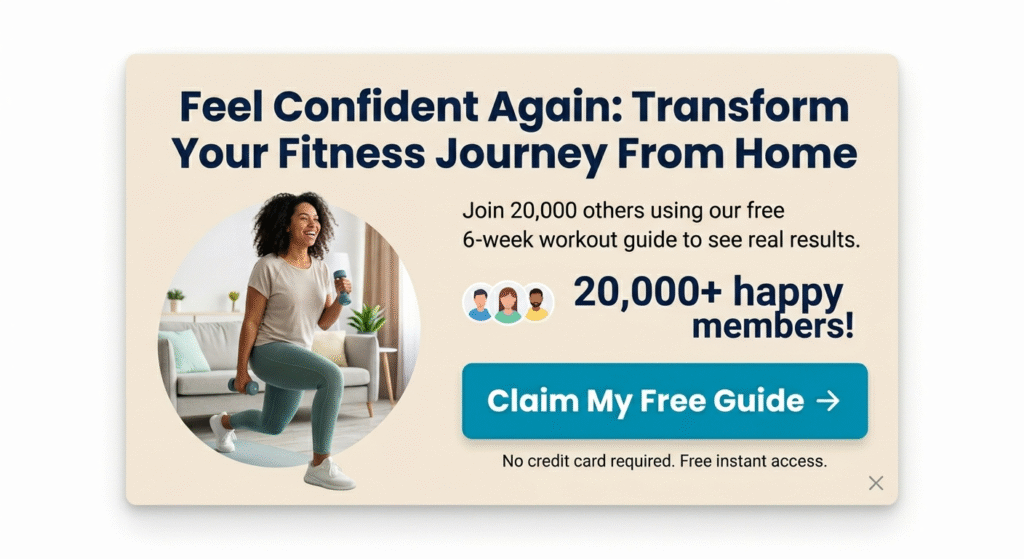
Choosing triggers and popup types is only half the job when generating leads. Creating a real offer, a headline, and a CTA is equally important. Your popup needs to grab attention, evoke a feeling in your user, and most importantly, drive action; people should sign up for your unique, beautifully packaged offer. The best lead capture forms have effective triggers, compelling offers, emotionally charged copy, and simple forms. Here is how to design forms that people will actually fill out.
The Offer (Your Lead Magnet)
The offer is the why. It needs to solve a specific or immediate problem and should be aligned with the content they are reading.
High-converting lead magnets include:
- Discount coupons and promo codes
- Access to exclusive deals or top products via newsletter
- Free trials and demos
- Free consultations
- Weekly tips, case studies, or curated industry content
- Free eBooks, guides, or templates
The format matters far less than the relevance. A one-page checklist matched perfectly to a blog post will outperform a 50-page eBook that feels generic.
The Copy (Headline and CTA)
The Title or Headline
The ‘title’ is the most powerful text on lead capture forms. Make it emotionally relevant. Understand what your target audience’s goal is: to save money, elevate their style, or save time. Be as specific as possible and make your copy appeal to how users want to feel. Use your targeted copy alongside psychological triggers like exclusivity, social proof, and urgency.
For example:
- Join 20,000 others and feel confident again.
- Reduce your bills by X%, save your hard-earned money now.
- Save 10 hours every week, use our AI-powered task organizer.
CTA
Keep your CTA clear, simple, and to the point. But don’t make it too vague; don’t say “sign up now.” Don’t use submit, these lead captures underperform as users have become immune to this word. Be specific and clear.
For example:
- Download our free style guide.
- Get your discount now.
- Try the first week free.
- Reserve My Seat
- Help Me Figure This Out
- Start My Free Trial
Form Fields
The best-performing forms have no more than 3 input fields. Unless your value offering is incredible, most people will see long, extensive forms as a barrier to entry. It is friction, and your goal is to make the user journey as seamless as possible. Remember, every additional field you add to your form drops your conversion rate. Ask yourself, what information do you need to make the lead valuable? Probably not a lot.
Tip: When placing a lead capture form beside the page, try placing it on the left side. That’s because people naturally read from left to right. Studies show users spend 80% of their time viewing the left half of the page.
What Makes a Good Popup Conversion Rate?
How do you know when your popup has a good conversion rate? Here are the stats that can guide you.
The average popup conversion rate sits at around 3.09%. But the best-performing ones hit 10% or higher. Cart abandonment exit popups can convert at as high as 17.12%.
The gap between average and top performance comes down to offering quality, timing, copy, and targeting.
Tip: Email-only forms consistently outperform multi-field forms
How to Set Up a Lead Capture Popup in WordPress (Step-by-Step)
If you want to generate more leads today, here is how to set up a lead capture popup in WordPress using PopBox.
1. Go to PopupBox on your WordPress dashboard.
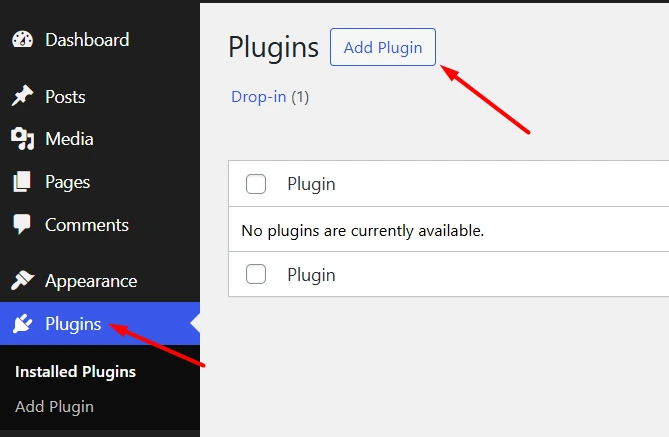
2. Select your popup type, choose Contact Form Popup.
3. Give your popup a title and enable the popup.
4. Under General Settings, find User Data.

5. Find the Built-In Fields, including Name, Email, and Message, which you can enable or disable.
6. Set your Admin Email to receive every email in your inbox.
7. Customize your Button Text (your CTA)
8. Add a Popup Description (your headline and message)
9. Set your Popup Triggers (On Page-Load, Click, or Exit-intent)
Tip: For optimal results, combine these popups with exit-intent on on-click triggers.
For a more detailed guide, Here Is How to Create a Popup in WordPress.
Set Up Your Lead Capture Popup and Start Converting Users

Grow your email list with targeted popups, slide-ins, and full-screen overlays that capture leads at the perfect moment. PopupBox is a popular WordPress plugin allowing you to create lead capture popups easily with no coding required. With 15+ popup types, seamless WooCommerce and Form integrations, you can start generating leads today.
Try PopupBox.
FAQs: Lead Capture Popups
Lead capture popups are website overlays that appear when triggered by a user, offering value in exchange for an email address. They typically involve contact forms to collect email addresses, subscriptions, and download popups.
Yes. The average popup conversion rate sits at around 3.09%. But the best-performing ones hit 10% or higher. Popups that focus on effective triggers, compelling offers, emotionally charged copy, and simple forms will generate meaningful leads. Popups that fire too early, ask for too much information, or offer nothing compelling will underperform.
If you’re just getting started, PopupBox is one of the best WordPress popup plugins with multiple free templates and triggers that require no coding. It covers the best lead capture popups, including Contact Form and Subscription popups with high-converting triggers.